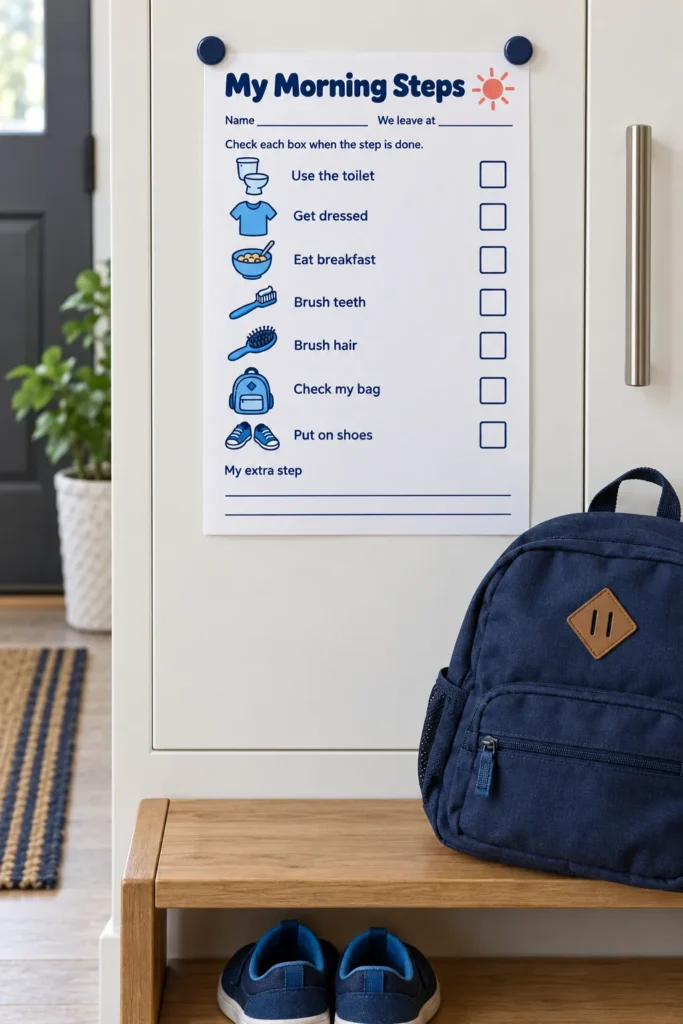
The hardest part of leaving on time can be the gap between finishing one task and knowing what comes next. Put the sequence where your child can see it, then use a short prompt to return to the next step instead of repeating the whole morning plan.
This picture checklist is for preschool and early elementary children using it with an adult. It shows seven familiar actions, an empty checkbox for each, and a departure time field. The pictures support the words; they do not replace teaching or hands on help.
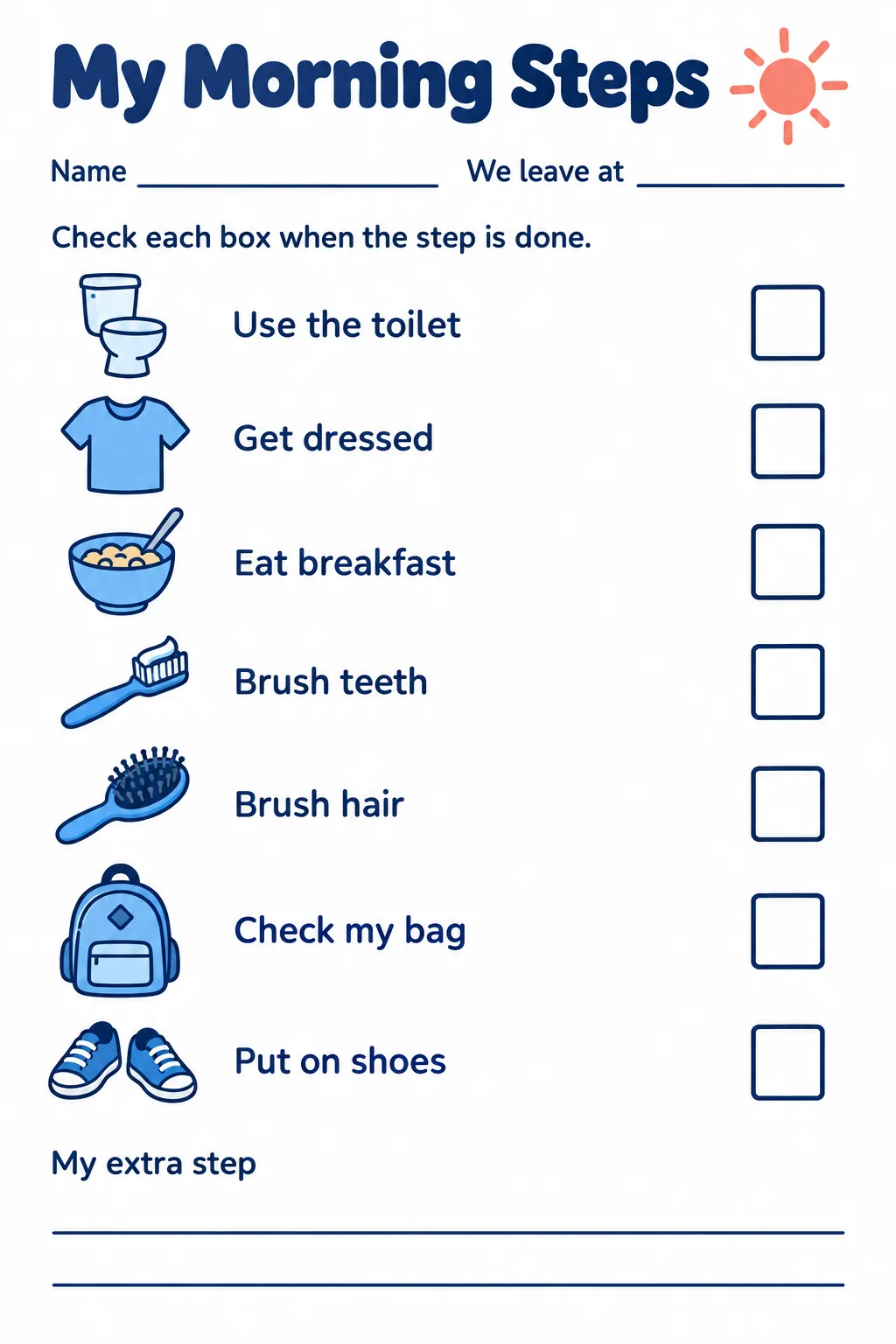
Download high-resolution printable
Click the preview to open the full size image, or use the download button to open it in a new tab. Save the image from there. Print one page for each child who needs a morning checklist.
Walk through the pictures together
The page moves through using the toilet, getting dressed, eating breakfast, brushing teeth, brushing hair, checking a bag, and putting on shoes. Point to each picture and ask your child what it means before the first school morning. Demonstrate unfamiliar actions and name the help you will provide.
Treat this sequence as a starting point for your family, not a rule about the only correct order. If your child needs a different order, write a short note in the My extra step area or use a fresh copy with handwritten order marks. Adults should continue to supervise hygiene and help with tasks the child cannot yet manage.
Start with the time you need to leave
Fill in We leave at with the time your family needs to step outside, rather than the school’s start time. Work back from that time using the actual length of breakfast, dressing, and travel preparation in your household. Add some room for finding a missing sock or helping with a difficult transition.
A getting ready chart cannot make an overcrowded schedule fit. If every morning ends in a rush, move bag checks, clothing choices, or lunch preparation to the evening when practical. Keep essential adult tasks separate so your child’s chart stays short enough to understand.
Make the next action visible
Place the picture schedule at your child’s eye level in a dry shared spot. After one task, invite your child to mark its box and find the next picture. A prompt such as check your next step gives the page a useful role without turning it into a test.
For a child who finds seven steps overwhelming, cover the lower rows with a plain sheet and reveal them as needed. Some children may prefer an adult to read each label or point alongside them. Visual schedules for kids work best when the cue is understandable to that child, so notice which pictures need explanation.
Plan for the step that keeps stalling
Indexed parent discussion snippets describe exhausting departures and uncertainty about choosing a routine chart. A discussion about the final minutes before leaving and a question about visual routine options informed the focus on a short visible sequence. These are practical concerns from snippets, not full thread reviews or evidence of guaranteed results.
Watch the stalled step rather than assuming refusal. Uncomfortable clothing, a hard fastening, or a sudden shift away from play may need a different kind of support. Offer a limited useful choice, such as which prepared shirt to wear, while keeping the next action clear.
If mornings involve ongoing severe distress or concerns about your child’s needs, seek advice specific to your family. The printable is a planning aid, not a diagnosis or treatment. You can keep the parts that help and pause anything that increases pressure.
Print and reset for the next morning
Print in portrait orientation on A4 or US Letter using fit to page. Preview the full sheet so the title, departure field, all seven rows, and extra step area remain inside the printer’s margins. The labels and checkbox outlines should stay clear in grayscale.
Use pencil marks for a single morning, or protect the page in a reusable sleeve and use a suitable erasable marker. Reset the boxes when the day is finished, away from the rush of leaving. The useful question tomorrow is whether your child can find the next action and get the support needed to do it.